





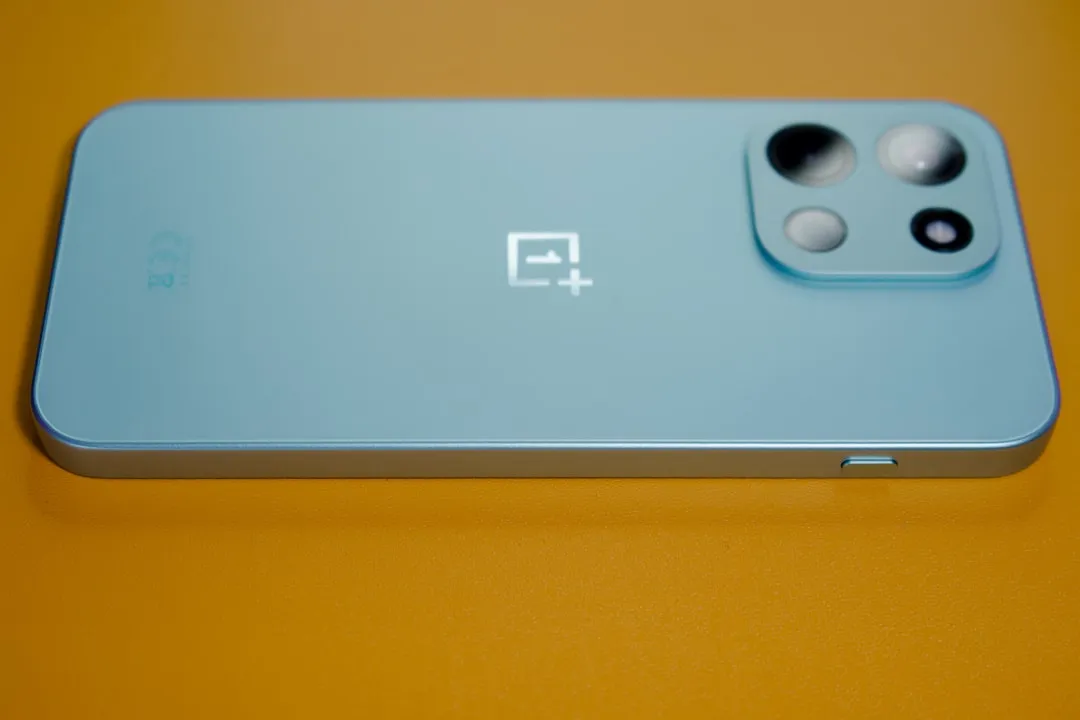
The OnePlus 15 can now transfer files directly to an iPhone, iPad, or Mac using Quick Share, with no cable, no third-party app, and no cloud upload required. Android Authority reported that AirDrop support via Quick Share has reached the OnePlus 15, extending the direct transfer capability that Google first launched for Pixel 10 devices last November.
There is one requirement worth knowing before treating this as seamless: the iPhone user must temporarily set AirDrop to "Everyone for 10 minutes" rather than the default "Contacts Only." That switch has to happen every time, and it sits entirely on the Apple side. Google described this as a first step and said it wants to work with Apple toward contacts-based sharing, though no timeline has been offered.
How OnePlus 15 AirDrop via Quick Share works with iPhone, iPad, and Mac
Setup on the OnePlus 15 requires one step: make sure Quick Share is running the latest version, which can be updated through the Play Store. No buried settings menu, no pairing process. Once updated, the phone can share photos, videos, files, links, and text to nearby Apple devices through the same Quick Share interface it uses for Android-to-Android transfers.
On the Apple side, the recipient opens Settings, navigates to AirDrop, and switches receiving to "Everyone for 10 minutes." That 10-minute window opens the device to discovery from non-contacts, including the OnePlus 15. Once set, the transfer shows up on the iPhone as a standard AirDrop prompt, and the recipient taps to accept or decline before anything moves, Google confirmed. Nothing arrives without that explicit approval.
The connection is direct and peer-to-peer. Data is never routed through a server, shared content is never logged, and no extra information is transmitted. That architecture also means the feature works without an internet connection on either device, a genuine distinction from cloud-based alternatives.
What the transfer actually looks like in practice
This is a feature built for face-to-face exchanges: sender and recipient in the same room, the iPhone briefly opened to discovery, device names confirmed on-screen before anything is sent. Google's guidance is explicit that confirming the device name in person is the correct safeguard when sharing with non-contacts. Once the 10-minute window closes, AirDrop automatically returns to its restricted state.
From the sender's side on the OnePlus 15, the process mirrors what Android users already know from Quick Share. Open Quick Share, select the content, and the nearby Apple device appears as a destination alongside any Android hardware in range. Tap the recipient device, and the transfer begins. The iPhone user sees a prompt with the sender's device name and taps to accept. The file arrives directly, without passing through any intermediary.
For users who hesitate before switching AirDrop to open discovery, the security architecture behind the feature is worth understanding. Google built the interoperability layer using Rust, a memory-safe programming language that eliminates entire categories of vulnerabilities by design, including buffer overflow attacks.
The company also commissioned an independent assessment from penetration testing firm NetSPI, which found the Quick Share-AirDrop connection "notably stronger" than other industry implementations and confirmed it does not leak information. Recipient approval is still required regardless; nothing transfers automatically.
This is not a background utility. iPhone users who default to "Contacts Only," which describes most iPhone users, need to make a deliberate change each time. The friction is real and consistent.
How it compares to the QR code fallback for other Android phones
Android phones without native Quick Share-AirDrop support use a different method. The sender generates a QR code inside Quick Share; the iPhone user scans it through the Camera app; the file uploads to the cloud and becomes accessible to the recipient, end-to-end encrypted and available for up to 24 hours, with no additional app required on the iPhone side. Google began rolling this out to all Android phones from mid-May.
The two methods are structurally different:
OnePlus 15 native method: Direct device-to-device transfer, no server involved, works offline, recipient sees a standard AirDrop prompt, requires iPhone to briefly enable "Everyone for 10 minutes"
QR code fallback: Cloud upload required, needs an active internet connection on both ends, end-to-end encrypted, file remains accessible for up to 24 hours, no AirDrop setting change needed on the iPhone
The QR method has one practical advantage: the iPhone user touches nothing. No settings change, no approval prompt, just a scan and a download link. The trade-off is that the file travels through cloud infrastructure rather than staying local, and both devices need network access for it to work at all.
Which Android phones get native support
When Google launched Quick Share-AirDrop interoperability in November 2025, native support was limited to the Pixel 10 family. The feature has since expanded to the Pixel 9 series, Samsung Galaxy S24 and S25 series, Galaxy Z Fold6, Z Fold7, Z Flip6, Z Flip7, and Z TriFold, the OPPO Find X8 series, HONOR Magic V6 and HONOR Magic8 Pro, and now the OnePlus 15.
The OnePlus 15 is the only device in OnePlus's lineup currently on that list. The OnePlus 13 and OnePlus tablets with Snapdragon Elite chips are not included, at least not yet. Those devices will use the QR fallback. Google has not publicly explained what criteria determine which phones qualify for native support.
Community reports on the OnePlus forums have also confirmed the feature is working on the OnePlus 15, consistent with the broader rollout pattern seen on other supported devices.
Where this leaves the cross-platform picture
Android's file-sharing story with iPhone now runs on two tracks. A defined set of recent flagships gets a direct, offline-capable transfer experience that routes nothing through a server. Every other Android device gets QR-based cloud sharing. Both solve the basic problem of moving a file from Android to iPhone; they differ significantly in how they get there and what conditions they require.
The unresolved piece is the "Contacts Only" constraint. Google described the current "Everyone for 10 minutes" implementation as "just the first step" and said it welcomes working with Apple to enable contacts-based sharing in the future. That cooperation has not materialized, and no timeline has been given. Until it does, every cross-platform transfer via Quick Share requires the iPhone user to manually open their device to discovery — a small but deliberate step that won't go away on its own.



Comments
Be the first, drop a comment!